Search

Anxiety and self-harm

Genially

An Interactive Creativity Tool https://youtu.be/JxeJow3ujag?t=17 Motivating isn’t always easy. Genially is the tool schools use to teach and learn through interactive learning materials. The digital transformation has arrived, for all education stages and students. Visual content captures everyone’s attention. 90% of the information we process is visual. Interactivity makes you explore and discover information on

Genially Read More »

IR within Edge Browser

Cross-platform web browser https://youtu.be/kTu0vdUdrUs Learning Tools are built into the Microsoft Edge browser, adding more options for readers in your class to interact with texts. Use Learning Tools in Microsoft Edge to hear any webpage or PDF read out loud while following along with the words on screen.  Immersive Reader in Microsoft Edge now has Learning Tools

IR within Edge Browser Read More »

ClassDojo

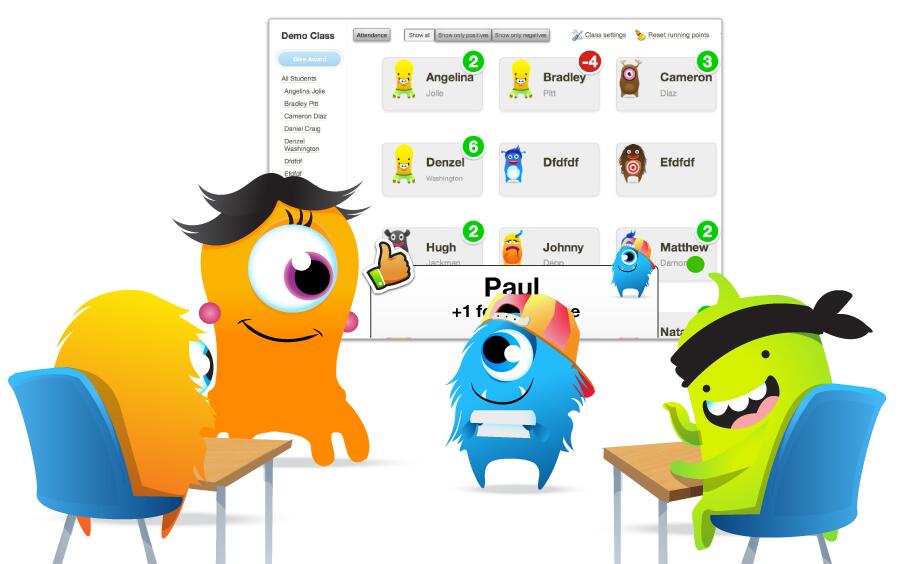
An online tool ClassDojo connects teachers with students and parents to build amazing classroom communities. Create a positive culture: Teachers can encourage students for any skill or value — whether it’s working hard, being kind, helping others or something else. Give students a voice: Students can showcase and share their learning by adding photos and

ClassDojo Read More »

Common Sense Education Digital Citizenship

A free online tool https://youtu.be/B2ZmR-nd378 The ready made lessons on Common Sense discuss media well being and positive relationships. These lessons are appropriate to all ages and can be delivered synchronously or asynchronously. Each include a video/app to support dealing with the issues raised and can further support learners. Top Tips and Links Top Tip

Common Sense Education Digital Citizenship Read More »

Nearpod

An Online Tool https://www.youtube.com/watch?v=cYVHSAqEeMM Nearpod’s formative assessment activities are effective for differentiating instruction. Teachers can send out polls and quizzes, ask open-ended questions, have students submit drawn responses, and even have students write short notes on collaborative boards. You’ll wonder how you taught without it! Top Tips and Links Top Tip Use Nearpod library for

Nearpod Read More »

Seesaw

An Online & App based Tool https://www.youtube.com/watch?v=6G1N-7GNCq8 Seesaw creates a powerful learning loop between students, teachers, and families.  Students use built-in multimodal tools to capture what they know in Seesaw’s digital portfolio. Teachers see all stages of student thinking and progress — enabling them to teach better. Families gain a window into their student’s learning

Seesaw Read More »

Flipgrid

A free iPad App https://youtu.be/erW1dXO7X4E Flipgrid allows students to record simple videos or audio explaining their understanding. Teachers can give private feedback or public peer feedback is also an option. Top Tips and Links Top Tip Use the mixtape option to create a highlight reel of great examples Download & Learn More Click Here Give

Flipgrid Read More »

Flipgrid

A free tool https://youtu.be/y-F2h2jFF2A Flipgrid allows students to record simple videos or audio explaining their understanding. Teachers can give private feedback or public peer feedback is also an option. Top Tips and Links Top Tip Use the mixtape option to create a highlight reel of great examples Download & Learn More Click Here Give us

Flipgrid Read More »

Skip to content